
Memorial ManagementLoved Ones
How do I hide the Loved Ones tab on a memorial?
Open the Loved Ones editor, switch the section visibility to Hide, and save.
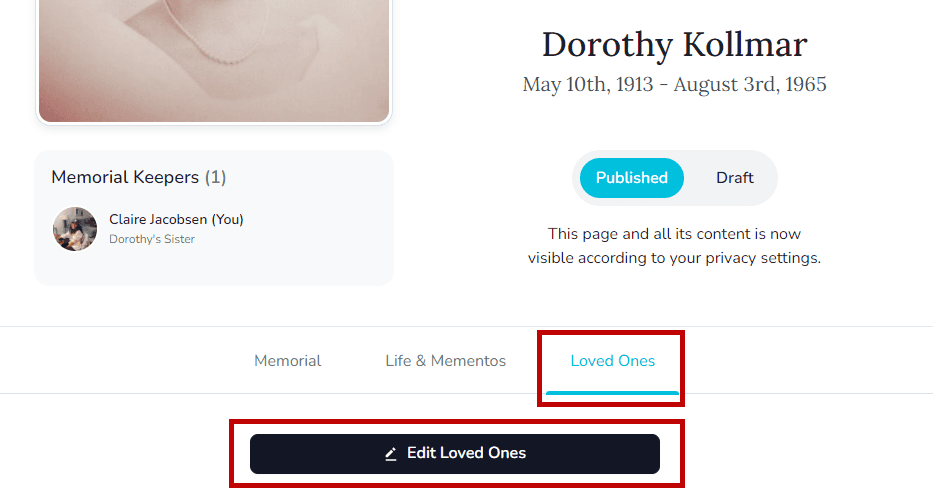
- Log in, open the memorial, and click the Loved Ones tab.
- Select Edit Loved Ones.
- In Section Visibility, choose Hide and then view the Loved Ones tab to confirm.
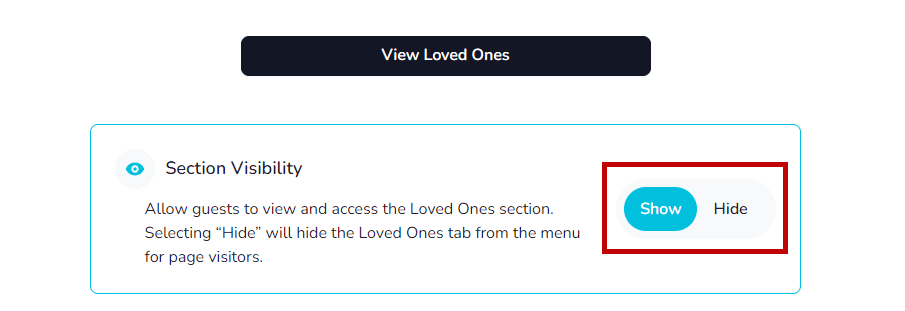
Guests will no longer see the Loved Ones tab. Keeper Administrators still see it while managing the memorial, and you can switch it back to visible anytime.