Memorial ManagementLoved Ones
How do I add a loved one?
Use the Loved Ones editor to invite existing Keeper users or add new profiles with relationship details.
You may add Loved Ones to highlight special relationships and people in a person's life.
Add an existing Keeper user
- Log in to your account
- Navigate to the Memorial page
- Click the Loved Ones tab
- Under the Loved Ones tab, select Edit Loved Ones
- Click Create your family tree
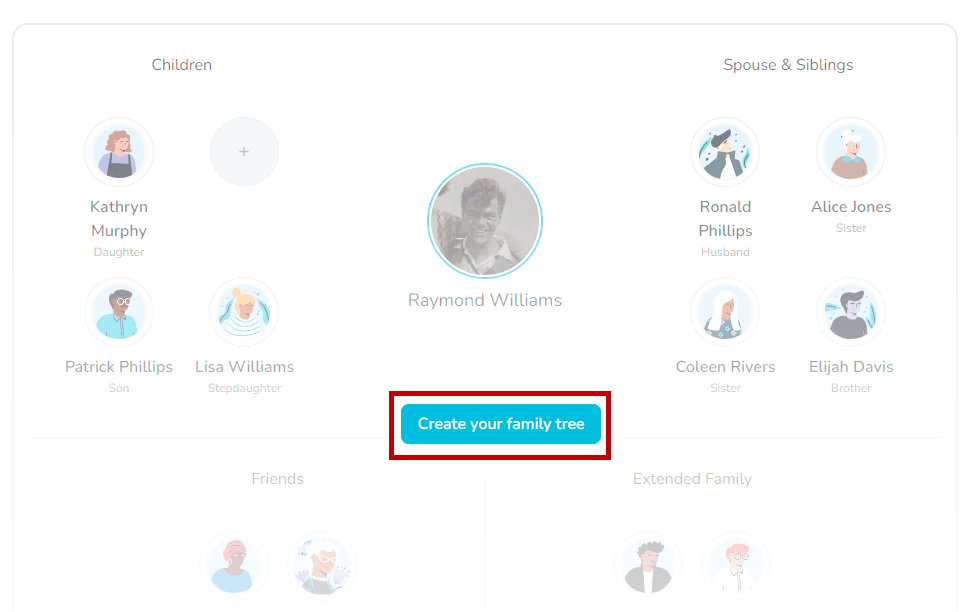
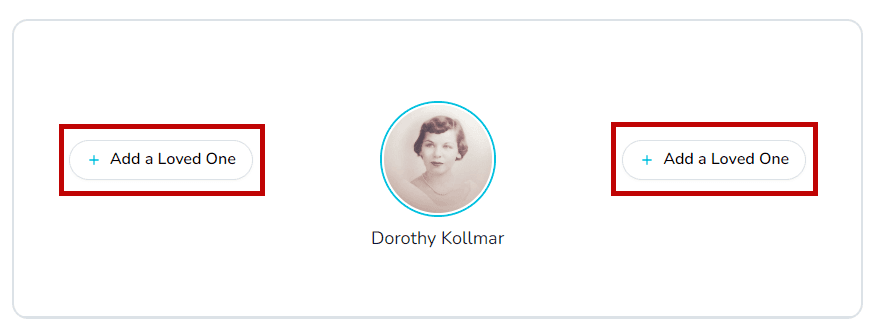
or click Add a Loved One
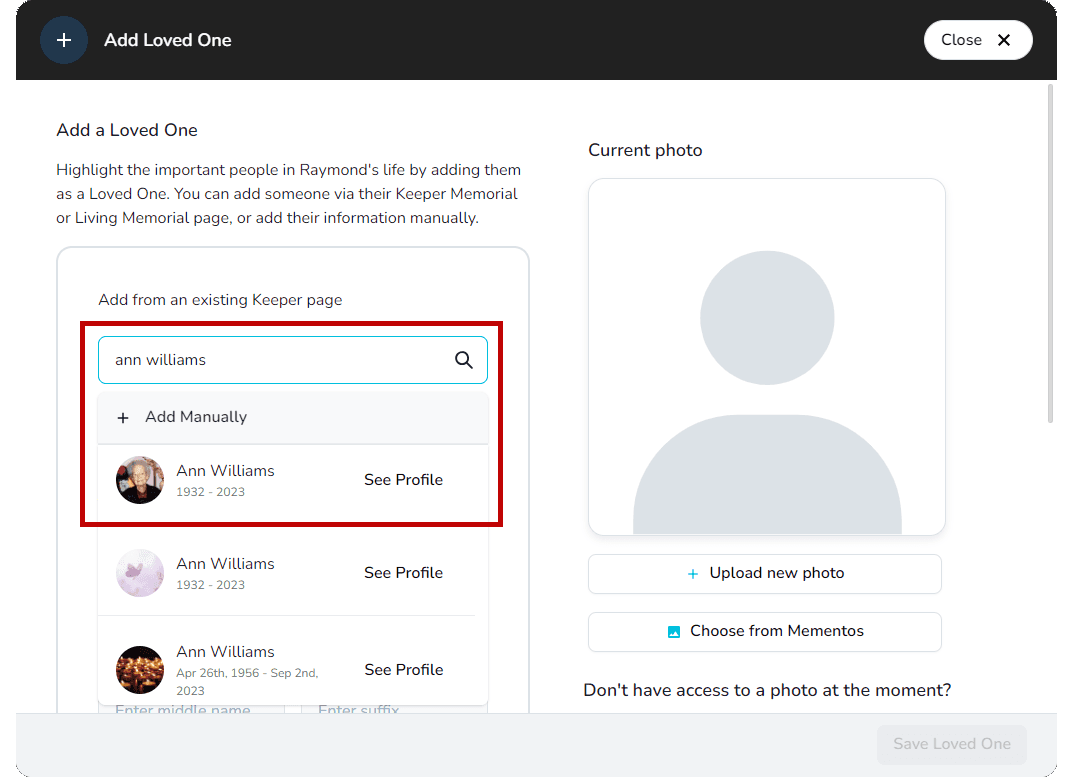
- Type their name or email into the search bar (make sure you use the email associated to their Keeper account!)
- Locate their Keeper profile in the drop down menu below and select it
- Add their relationship to the person being memorialized by selecting from the options available, or by selecting Custom Relationship
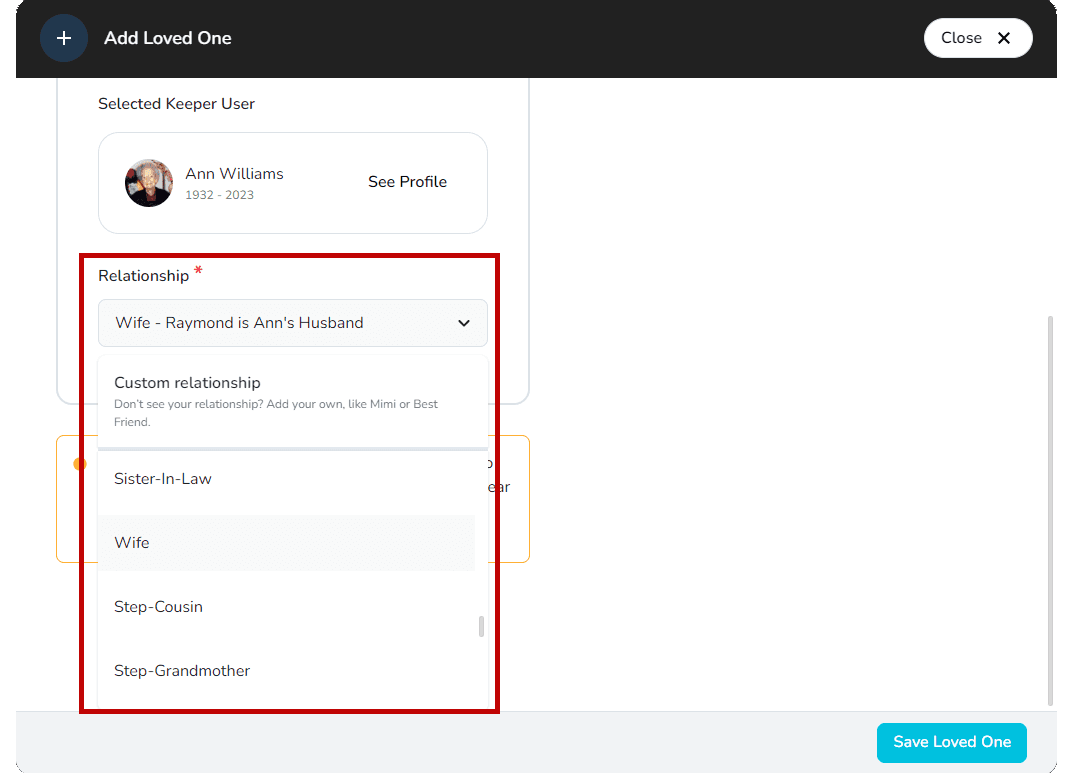
- Click Save Loved One to save your work and add this person to Loved Ones
- A request will be sent to the Keeper user to become a Loved One for this Memorial and, once accepted, the relationship will be displayed under Loved Ones
Add a Loved One that is not a Keeper user
- Log in to your account
- Navigate to the Memorial page
- Click the Loved Ones tab
- Under the Loved Ones tab, select Edit Loved Ones
- Click Create your family tree
or click Add a Loved One
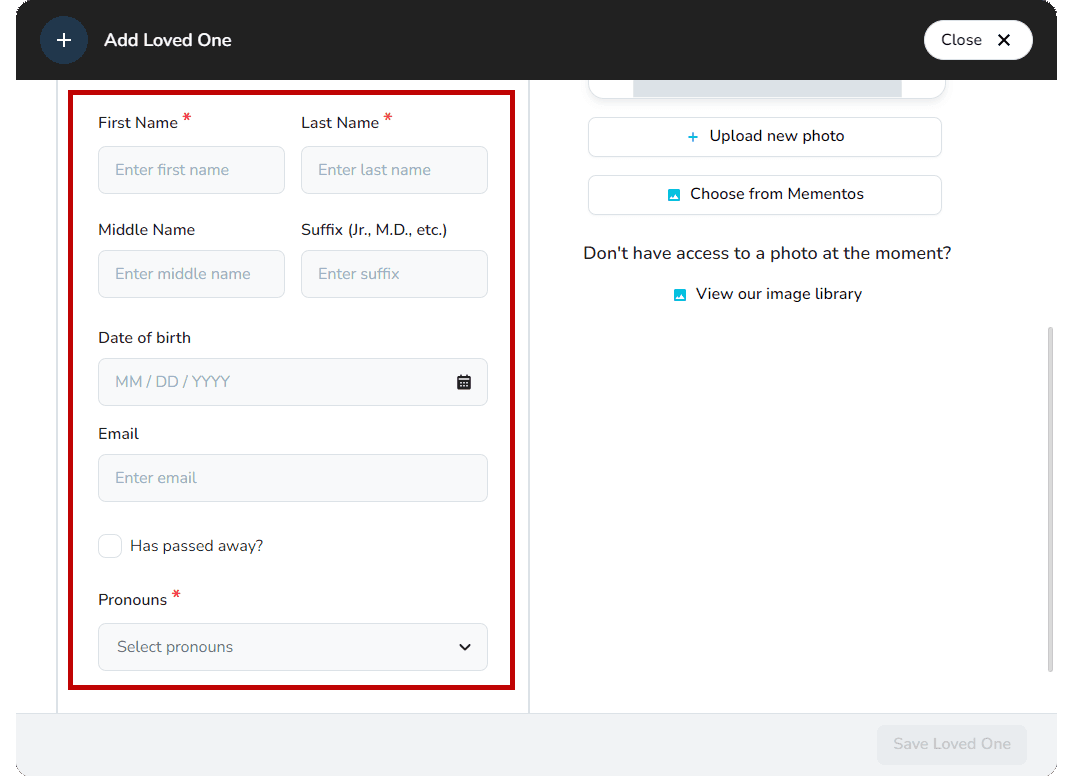
- Enter some mandatory information about the person you'd like to add — your Loved One cannot be added if the following fields are not filled out:
- Their first and last name
- Their pronouns
- Add their relationship to the person being memorialized
- You can select from the options available, or type in a custom relationship
-
Enter some optional information about the person you'd like to add:
- If the Loved One you are adding has passed away, select Has passed away to be given the option to enter their date of death
- If the Loved One you are adding has not passed away, you have the option to enter their email, which will notify them that you've added them as a Loved One and will invite them to join Keeper
-
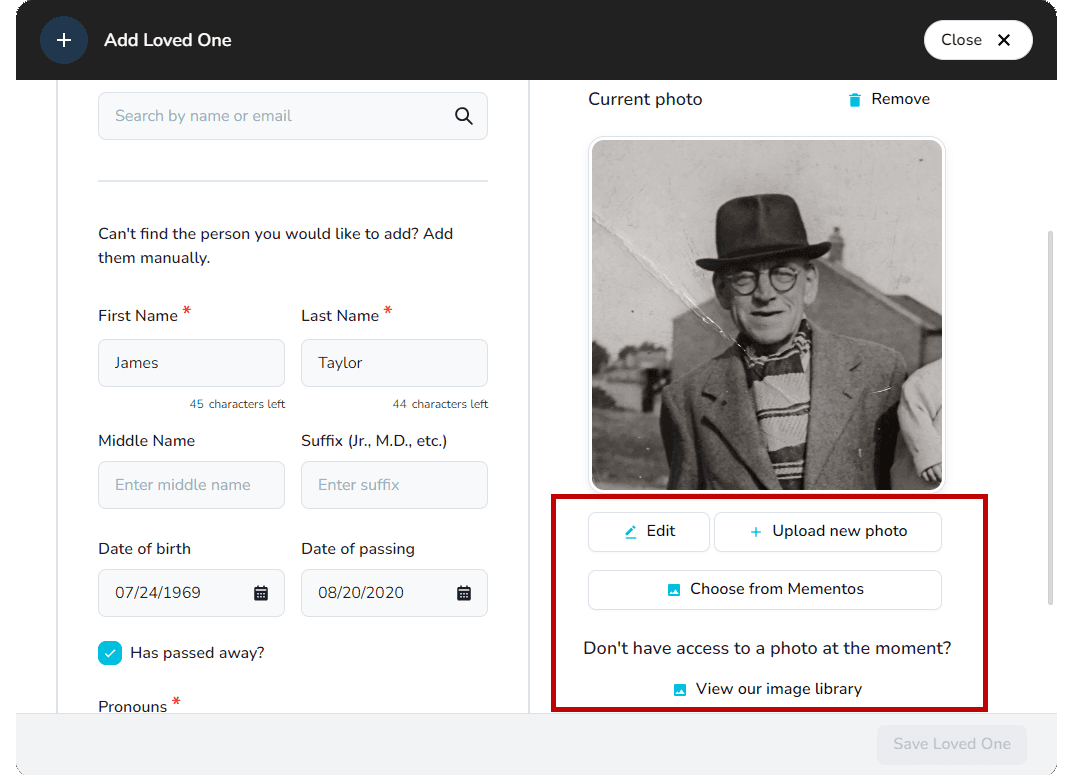
If you would like to add a photo for the Loved One, you can either upload a new photo or choose a photo from Mementos:
- To upload a new photo, select Upload new photo and then select the photo you want from your device
- To use a photo already uploaded to the Memorial page, select Choose from Mementos and select the photo
- If you are a Keeper Plus member, you can choose to simultaneously create a Memorial page for this person as well
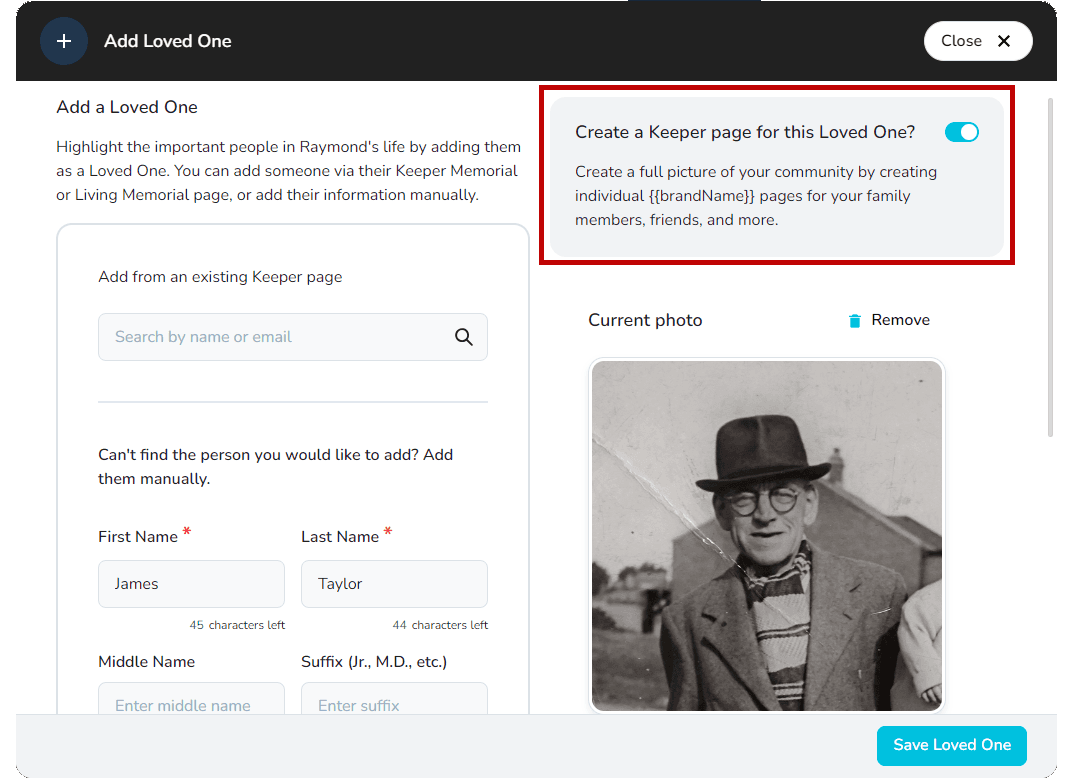
- Click Save Loved One to save your work and add this person to Loved Ones