Memorial ManagementLoved Ones
How do I add a description to the Loved Ones tab?
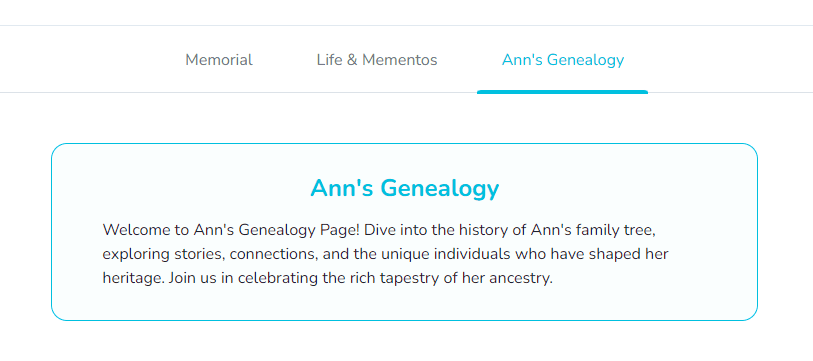
Use the Loved Ones editor to add context or instructions that appear above the family tree.
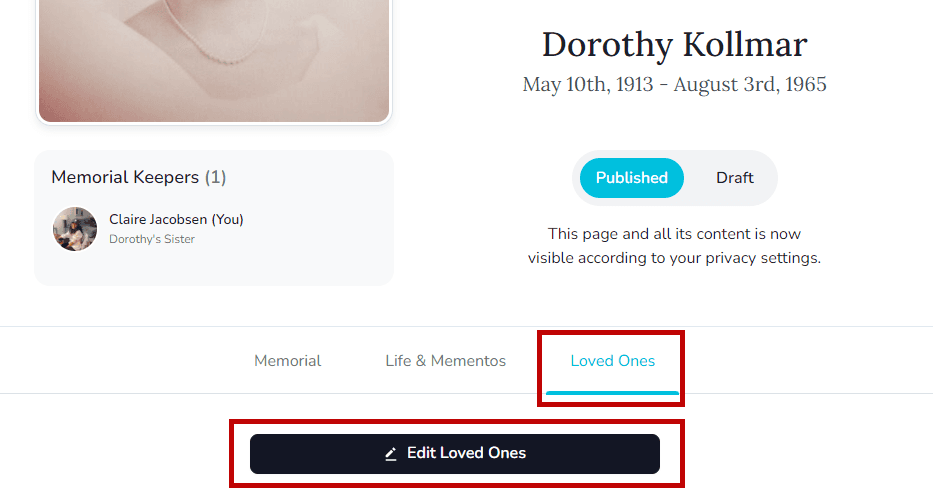
- Open the memorial, go to the Loved Ones tab, and select Edit Loved Ones.
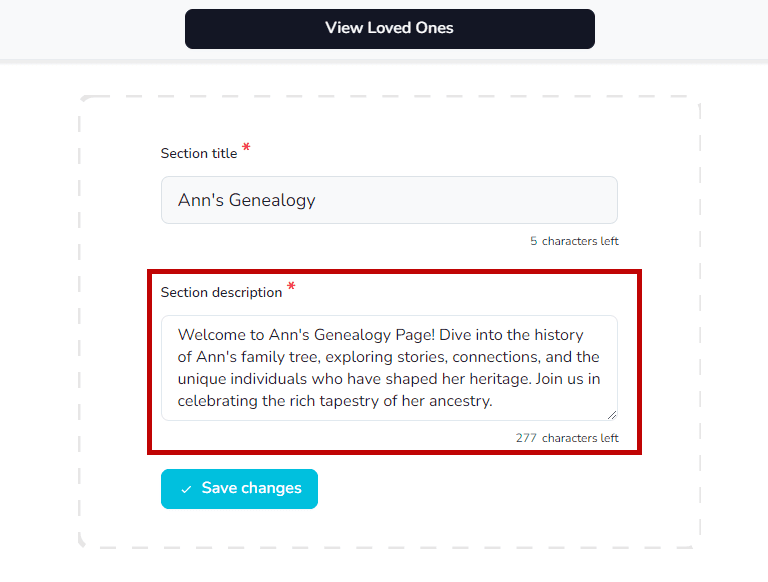
- Enter your message in the Section description field—share context, instructions, or any other notes for visitors.
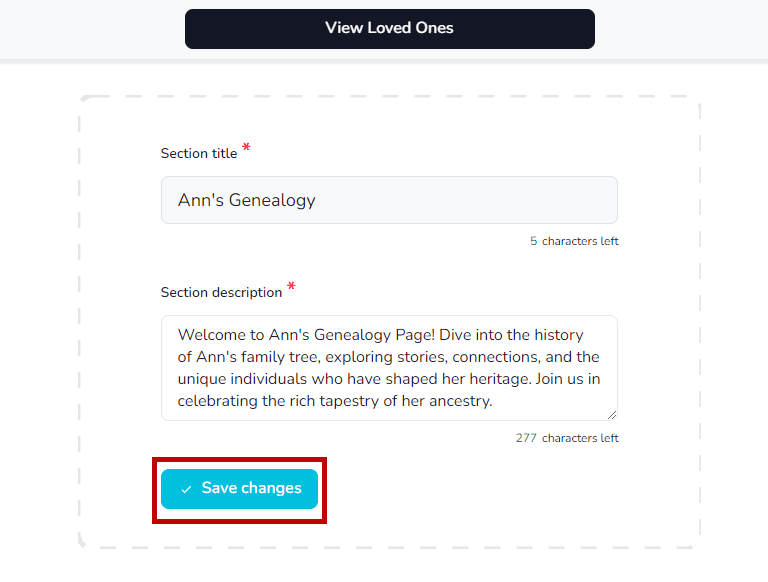
- Click Save Changes.
The description now appears above the Loved Ones grid.