
How do I share a memorial page?
Use the Share Memorial button on desktop or mobile to copy the link or send it via email and social platforms.
Whether as a Guest or a Keeper Administrator, if you are viewing a public Memorial page, you can invite others to view and contribute to the Memorial page by sharing it via Facebook, X (formerly Twitter), Email, WhatsApp or by simply copying the link to your device's clipboard or downloading a QR Code.
If you'd like to share a public Memorial page, please follow these steps:
-
Navigate to the Memorial page
-
Click on the Share Memorial button or the share widget
- On the desktop version of Keeper, you can find this button on the top right corner
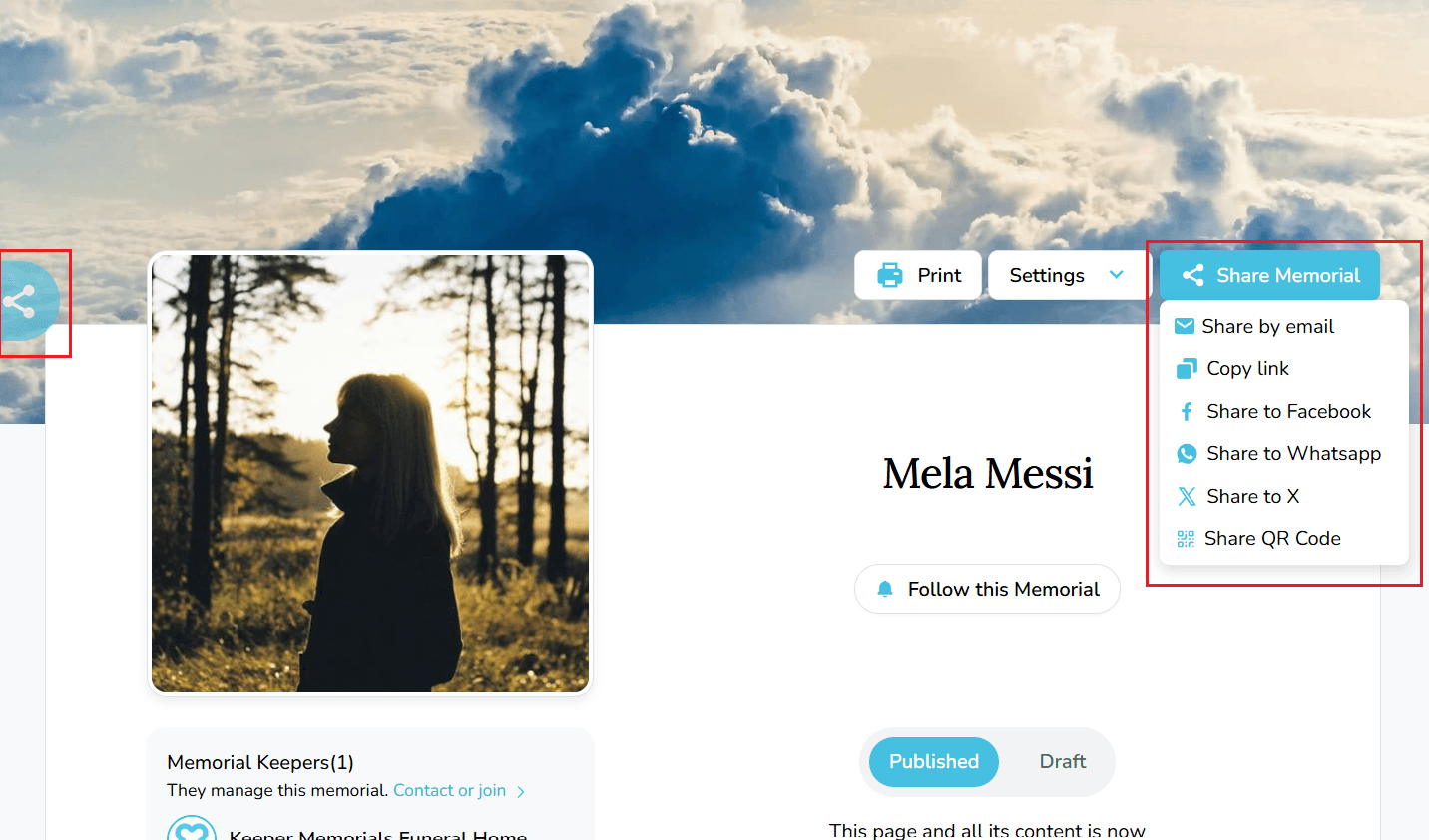
- On the mobile version of Keeper, you can find this button below the honoree's name
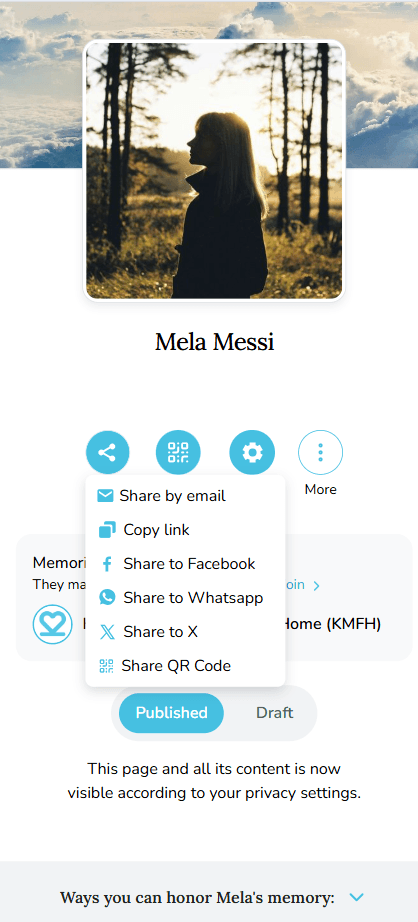
- Select whether you would like to:
- Share by email
- Copy link, which copies the Memorial page URL and you can paste it almost anywhere to share the link with others
- Share to Facebook, Share to X (formerly Twitter), Share to WhatsApp
Keeper also offers an additional way to share directly from the memorial page as you browse.
- Using the Sticky Share Widget
As you scroll through a Memorial page, a share widget remains fixed to the left side of the screen so you can share at any point without returning to the top of the page.
Click or tap the share icon on the left side of the screen. The experience will vary depending on your device:
-
On the desktop, clicking the share icon will expand a menu with the following options:
-
Share by email
-
Copy link
-
Share to Facebook
-
Share to X (formerly Twitter)
-
Share to WhatsApp
-
Share QR Code
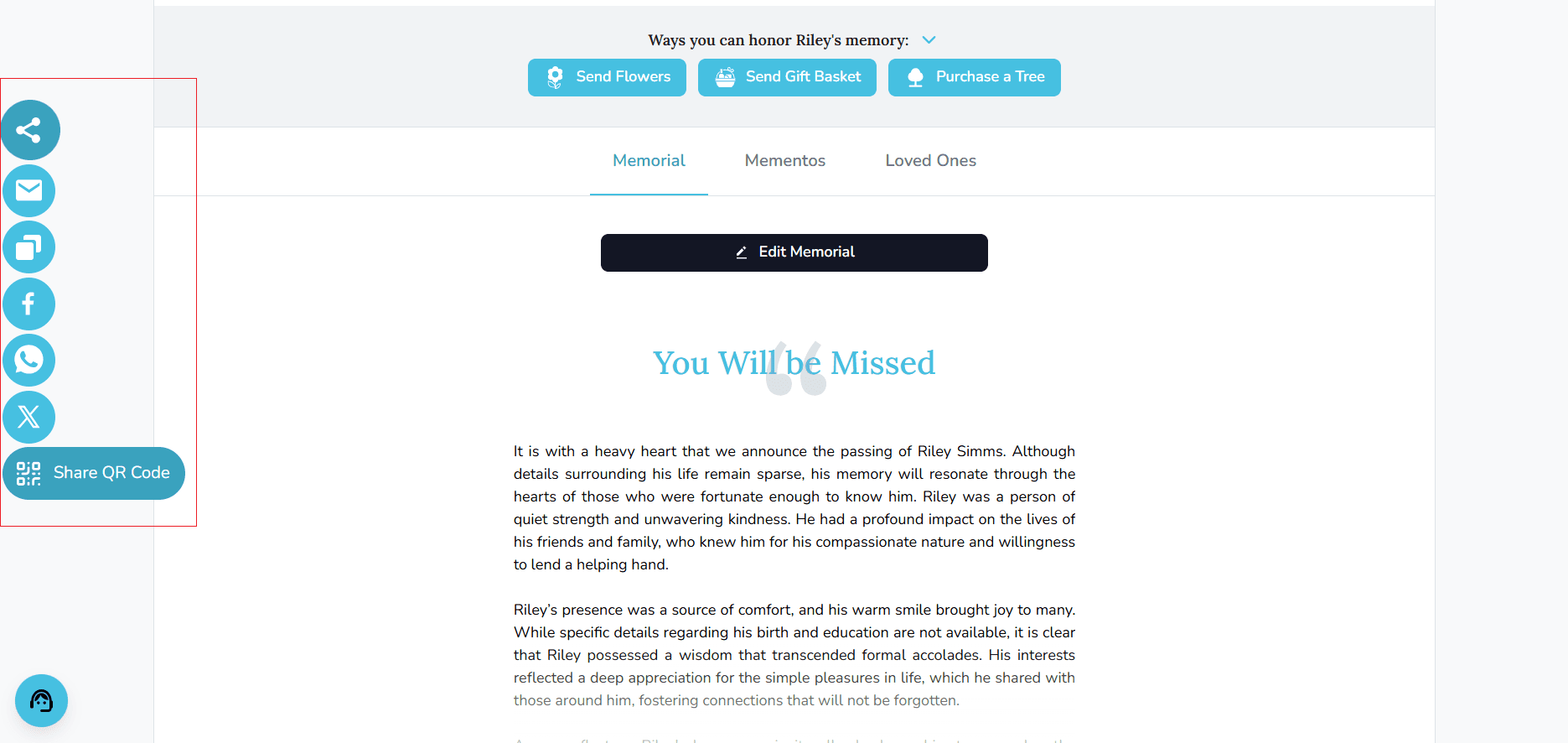
- On the mobile version of Keeper, tapping the share icon will trigger your device's native share sheet — the same sharing menu you use across other apps on your phone. If your device does not support native sharing, you will see the same menu options listed
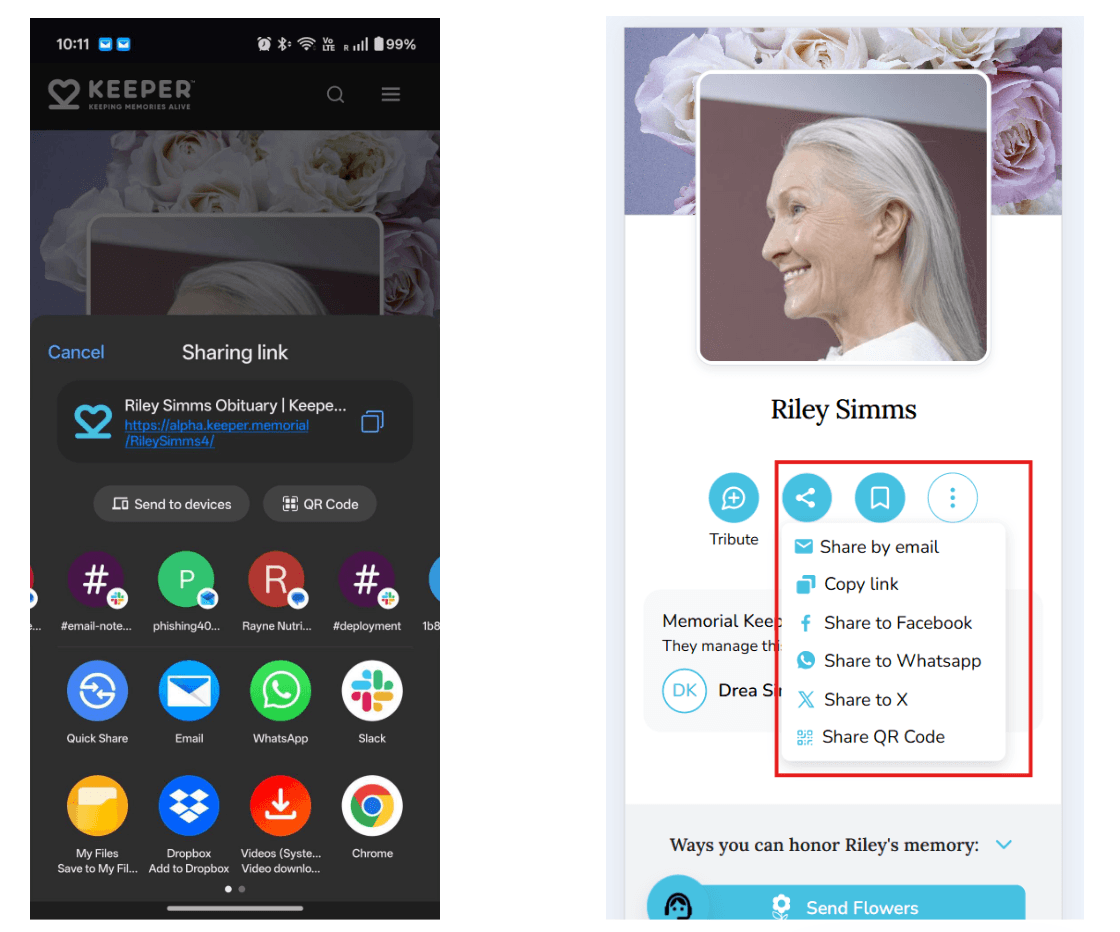
Sharing a QR Code
The Share QR Code option is available via the expanded share menu on desktop, and on mobile devices where native sharing is not supported.
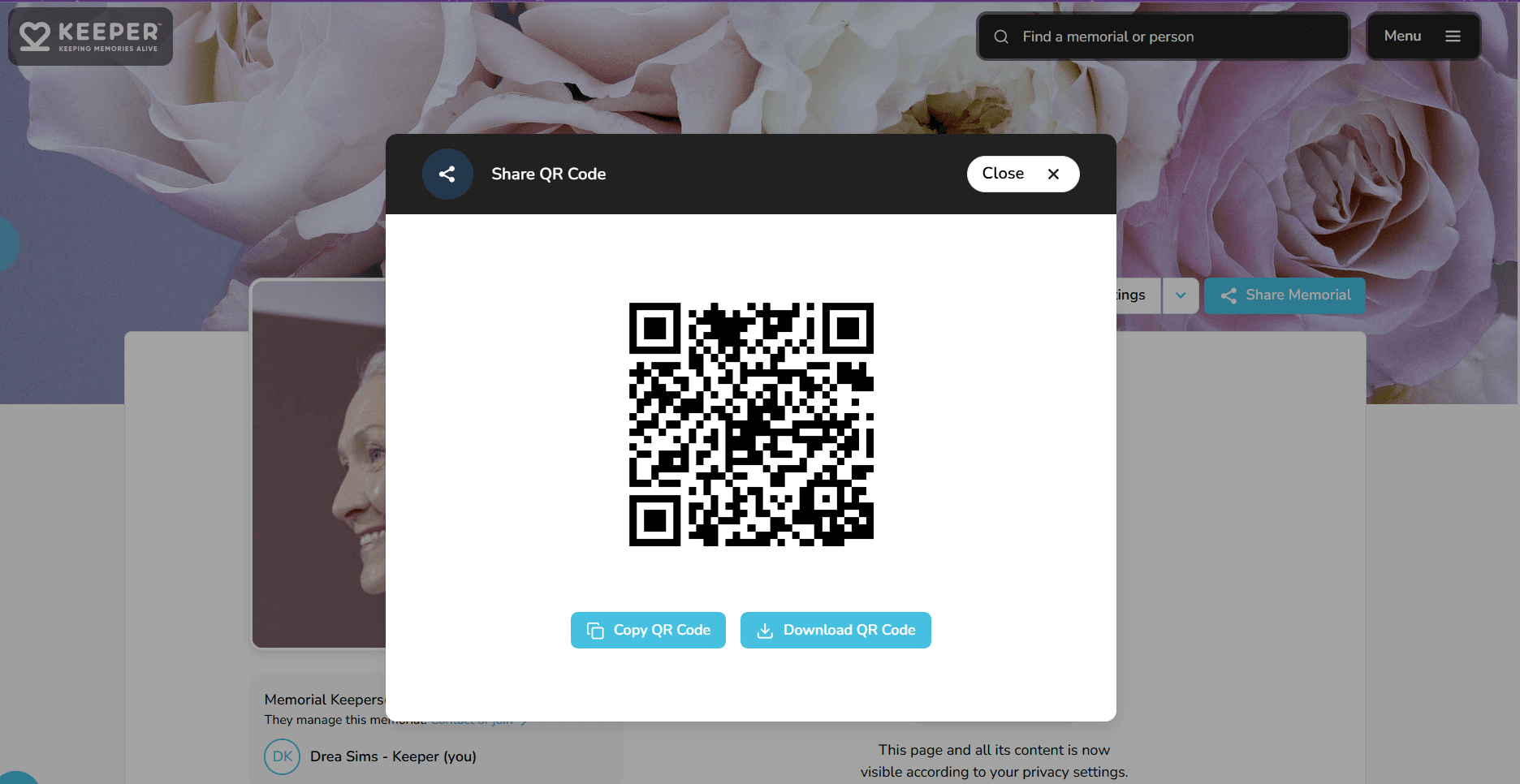
- If a QR code has been purchased and linked to the memorial, clicking Share QR Code will open a downloadable QR code that you can save and share. This QR links directly to the memorial page, making it easy to place on printed programs, keepsakes, or anywhere you'd like friends and family to scan their way to the memorial.
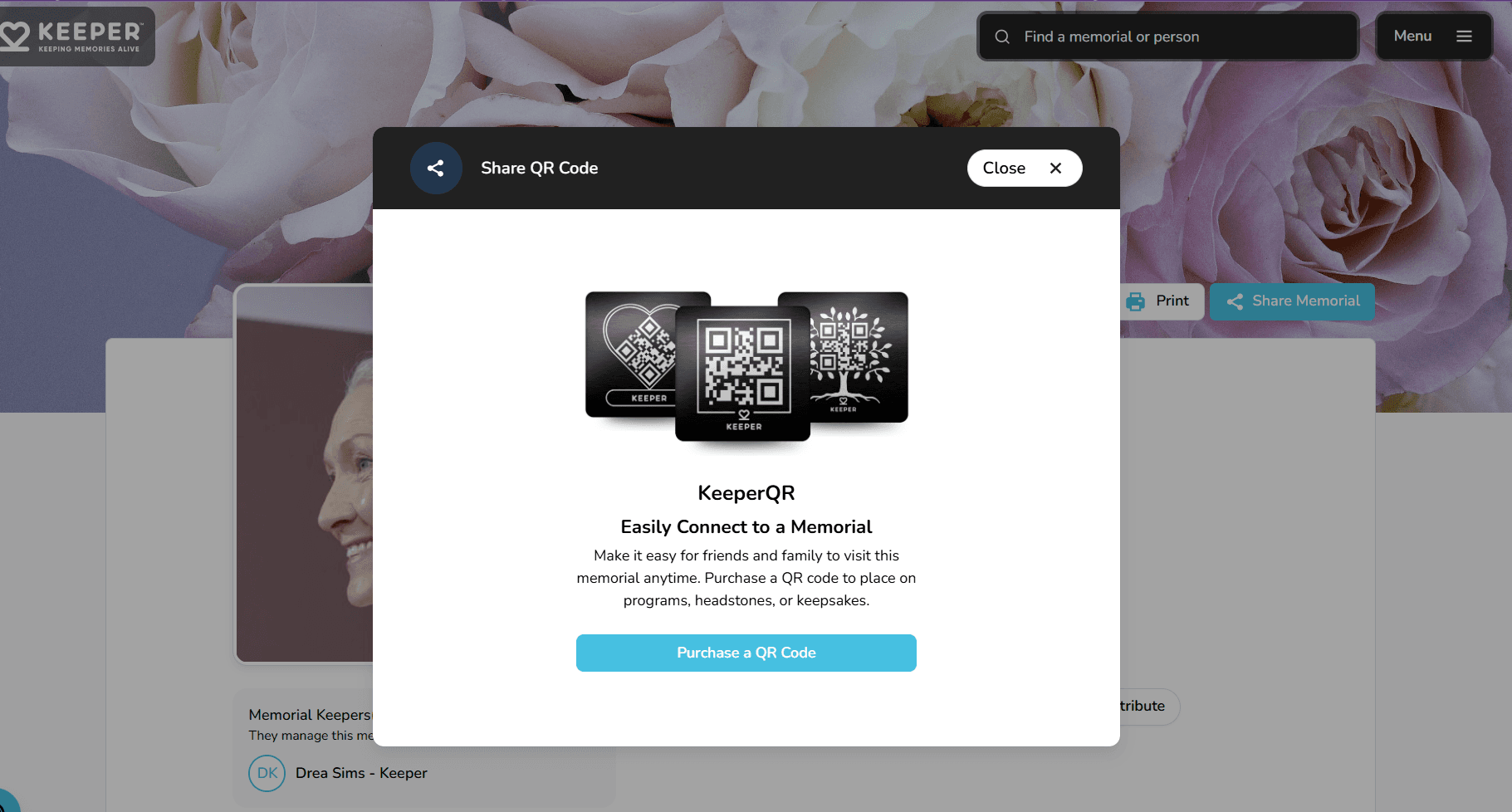
- If no QR code is linked to the memorial, clicking Share QR Code will open a prompt to purchase a KeeperQR — a physical or printable QR code that can be placed on headstones, programs, or keepsakes to give friends and family instant access to the memorial page.
Want to change the Memorial Page's URL before sharing the link with others? Click here to learn how.
How do I see what my memorial page looks like to others?
Use Preview as Guest to open the memorial in a new tab and view it from a visitor’s perspective.
How do I modify the date of birth or date of passing on a memorial page?
Edit birth or passing dates in Edit Page Settings and adjust their visibility if needed.