
Memorial ManagementUpdate Basic Info
Manage Memorial Page | Profile settings overview
Use Edit Page Settings to update memorial basics, design, privacy, and keeper administrators.
In this section, you will learn how to edit the Memorial's basic information and make changes to the page globally. This includes: names, dates, the banner image & color, privacy settings, and managing the Keeper Administrators.
To access the Page Settings section:
- Log in to your account
- Select the Memorial page you wish to make changes to
- Under the banner image on the right, select Edit Page Settings
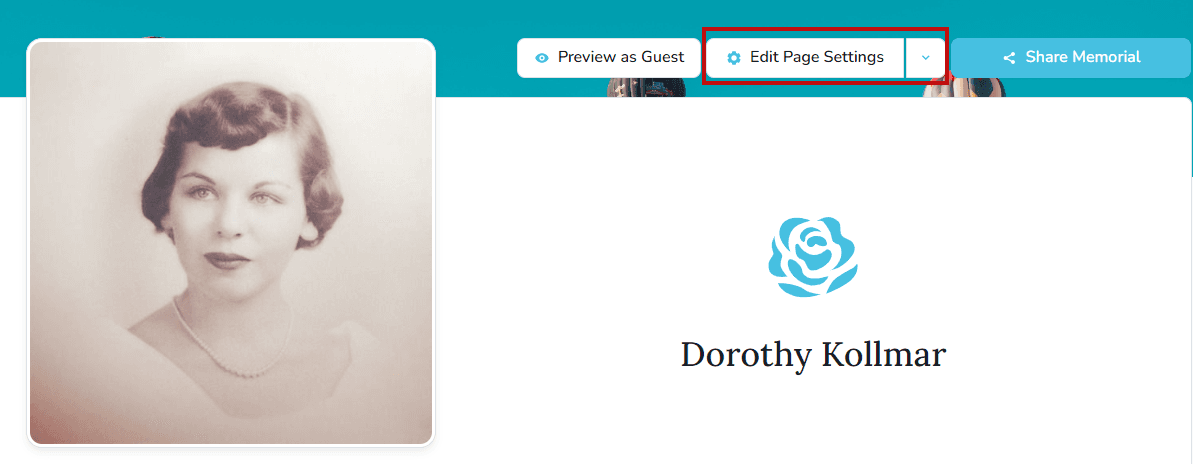
From there, you can navigate to each tab to customize the page, change the privacy, and manage the Memorial page Keepers.

- Profile
- Edit page information such as names, dates, your relationship with the honoree
- Theme
- Change the theme color
- Change the banner image
- Icon
- Change or add a personalized icon
- Viewing & Privacy
- Edit Memorial page URL
- Approve content before it's published
- Memorial Privacy Settings
- Keeper Admins
- Manage the Keeper Administrators of the page