
Memorial ManagementUpdate Basic Info
How do I change the profile picture of a memorial page?
Replace the memorial profile photo, choose from multiple sources, and fine-tune the crop.
- Log in to Keeper and open the memorial you manage.
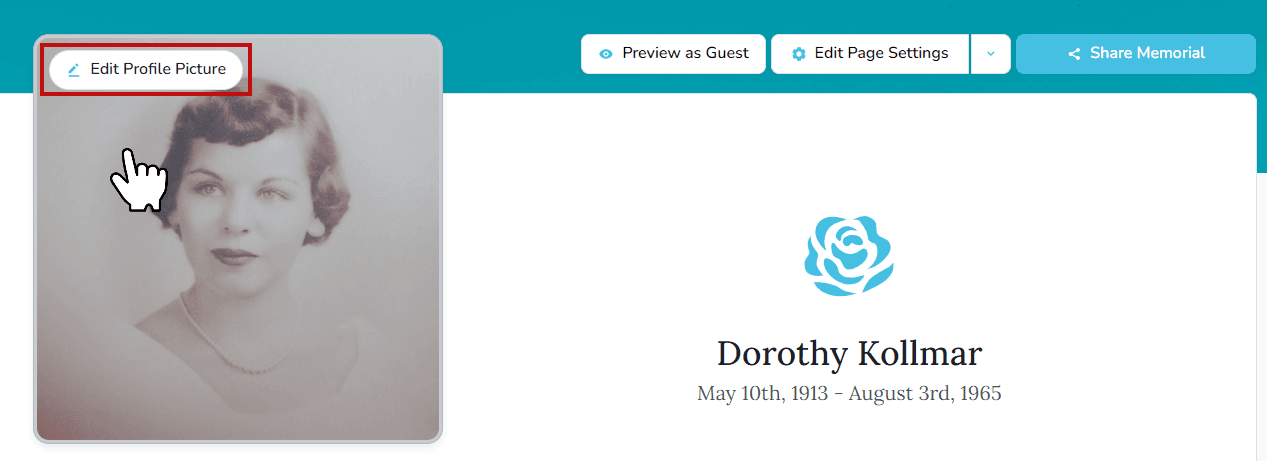
- Hover over (or tap) the profile image and select Edit Profile Picture.
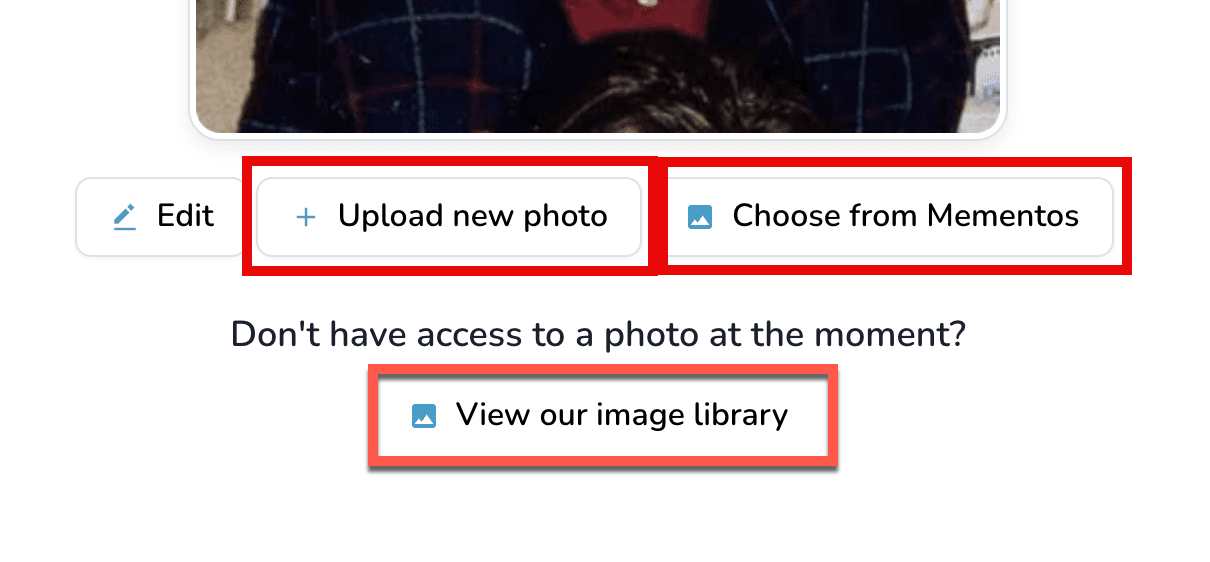
- Pick where the new image should come from:
- Upload from your device
- Choose from Mementos already on the memorial
- Keeper Library for curated artwork
- Use the built-in editor to reposition, rotate, or crop before saving.
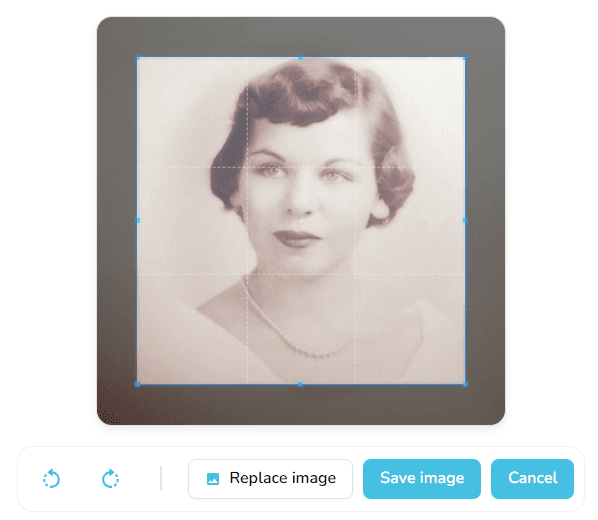
- Select Save Settings to publish the new image.
Tip
Profile pictures support .png, .jpg, .jpeg, .gif, and .heic files between 5 KB and 25 MB.