
Account ManagementAccount Settings
How do I hide my birthday?
Open Account Settings, edit your birth date, and adjust the visibility dropdown before saving.
- Sign in and open the Account Settings tab from your dashboard.
- Next to your birth date, choose Edit.

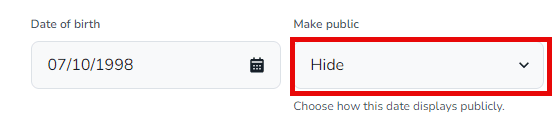
- Use the Make Public dropdown to pick how your birthday appears—or hide it entirely.
- Select Save Changes to finish.