
Memorial ManagementPrivacy Settings
How can I control whether a memorial page appears in search engine results?
Switch the search engine visibility toggle so Google can find—or skip—your memorial page.
- Sign in and open the memorial.
- Click Edit Page Settings beneath the banner.

- Open the Viewing & Privacy tab.

- Confirm the memorial privacy level suits your needs. Need a refresher? See how to adjust privacy settings.
- Under Do you want your page to come up in search engine results like Google?, choose Yes or No.
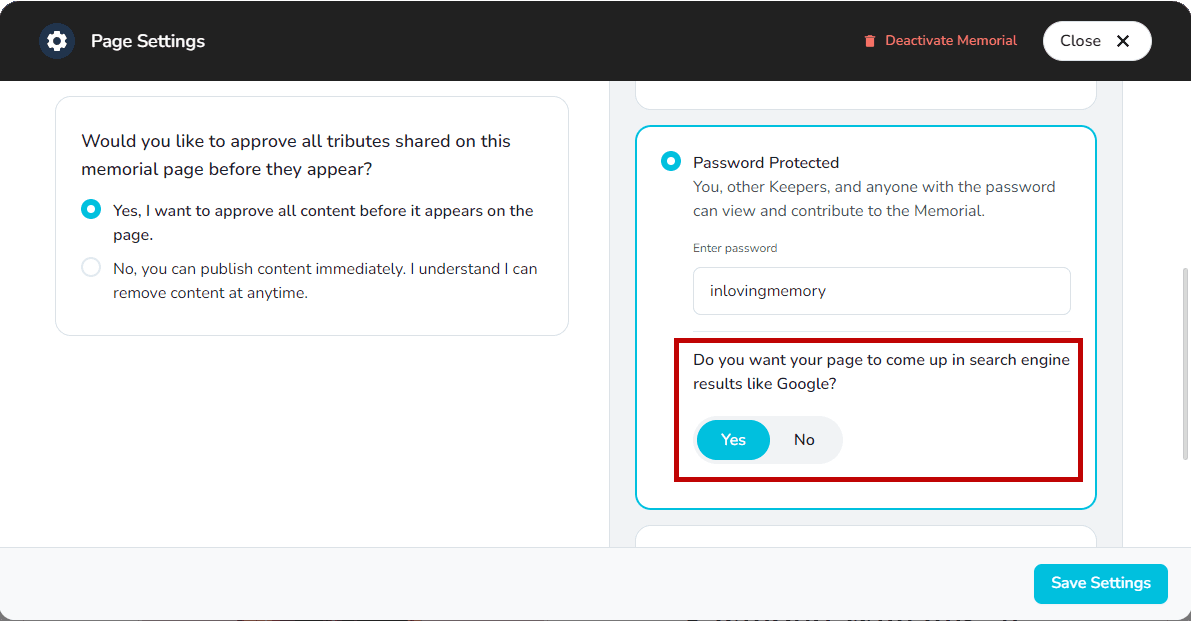
- Select Save Settings to apply the change.
Timing
Google can take up to 72 hours to add or remove a page from results. Keeper cannot expedite the change.