
Review, approve, and reject tributes and memorial content
Turn on content moderation so keepers can approve tributes, comments, photos, and videos before they publish.
Enable moderation
As a Keeper Administrator, you can turn moderation on and off to review submitted posts. If you turn moderation on, it will allow you to review, approve, or reject submitted content, such as tributes, photos, or comments, before they appear on a Memorial page.
If you would like to turn moderation on, please follow these steps:
- Log in to your account
- Navigate to the Memorial page
- Click on Edit Page Settings
- Select the Viewing & Privacy Tab

- Select if you would like to approve all content made by guests and members on your memorial page before they appear publicly
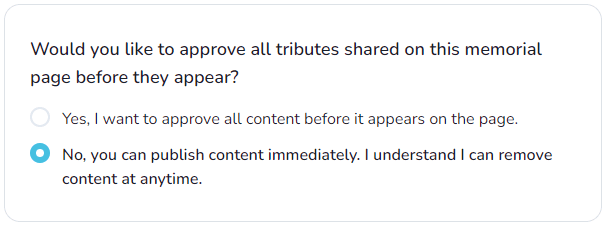
Moderate submissions
Keeper Administrators also have the ability to moderate the Tribute section and Memento comments. Keepers can:
- Edit/Delete their own Tribute posts and comments
- Edit/Delete their own comments
- Delete Tribute posts and comments submitted by others
Make sure to be logged in and click on the edit icon or the trashcan icon at the top right of each post.
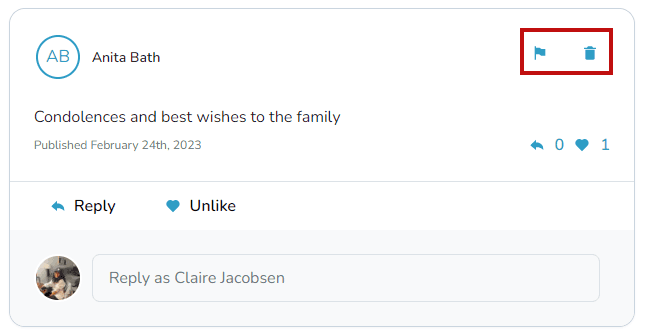
Note: A signed-in user can edit and delete the posts they have contributed on your memorial page.
How do I make sure only invited people can see my memorial?
Turn on Invitation Only privacy, manage invitations, and control who can view or contribute.
How do I change the security and privacy settings of a memorial page?
Choose who can view and contribute to a memorial by adjusting the Viewing & Privacy options.