
Memorial ManagementPrivacy Settings
How do I change the security and privacy settings of a memorial page?
Choose who can view and contribute to a memorial by adjusting the Viewing & Privacy options.
- Sign in to Keeper and open the memorial.
- Click Edit Page Settings beneath the banner image.
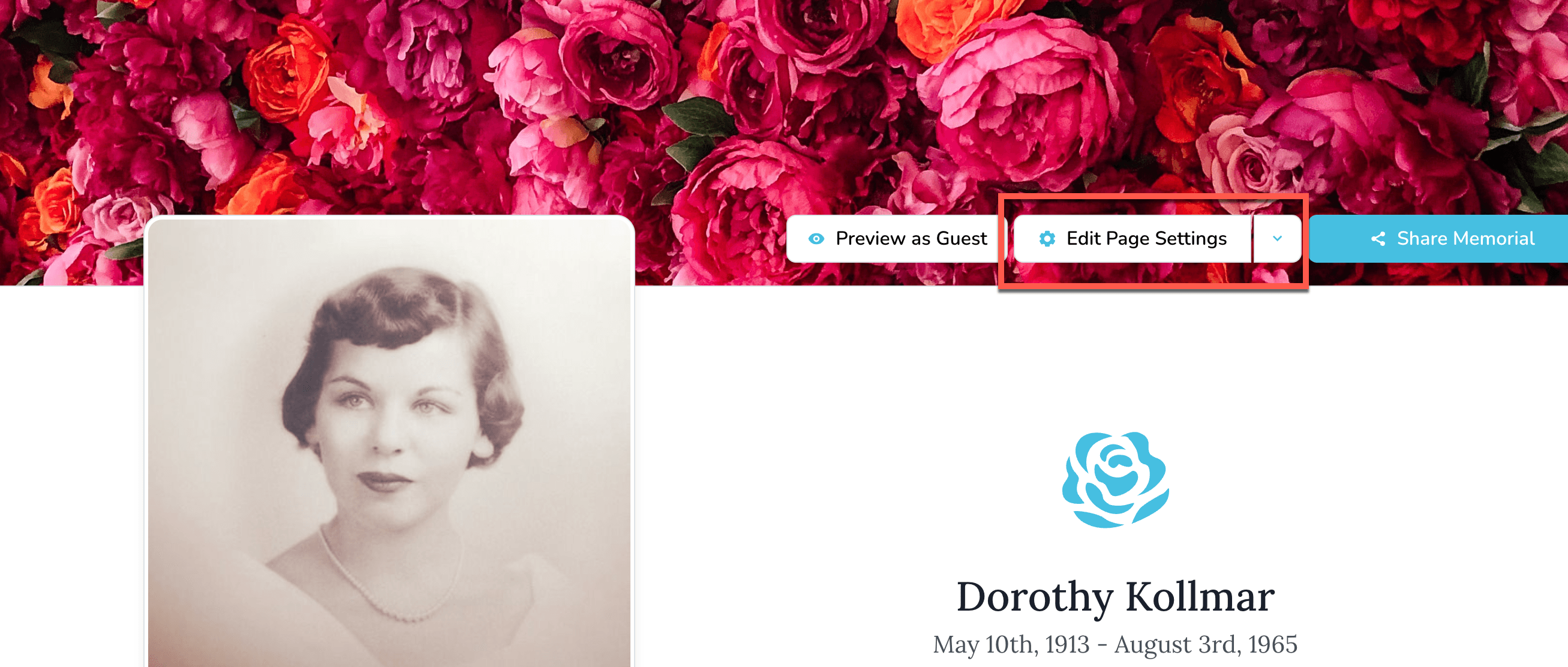
- Open the Viewing & Privacy tab.

-
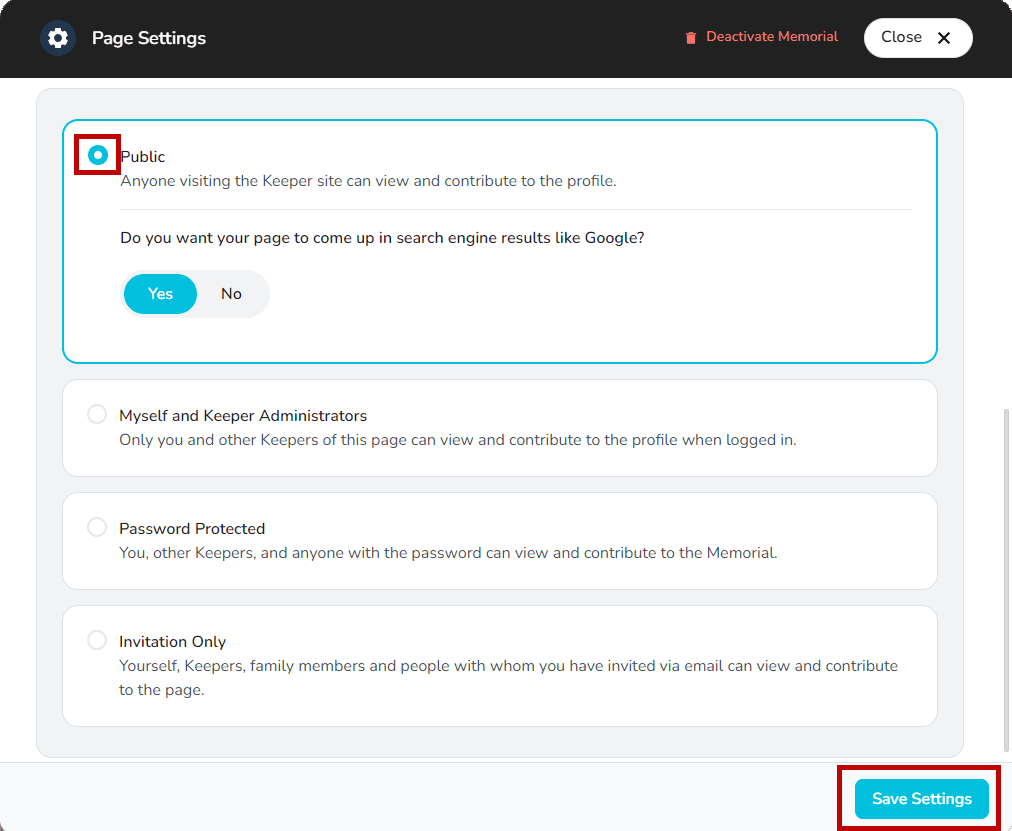
Pick the visibility that fits your needs:
- Public – Anyone visiting Keeper can view and contribute.
- Myself and Keeper Administrators – Only you and fellow Keepers can access and update the memorial.
- Password Protected – Share a custom password (5–72 characters) with guests so they can view and contribute. (Keeper Plus)
- Invitation Only – Invite family and friends by email so only they can view and contribute. (Keeper Plus)
-
Select Save Settings to lock in your choice.
Review, approve, and reject tributes and memorial content
Turn on content moderation so keepers can approve tributes, comments, photos, and videos before they publish.
How do I request access to a private memorial page?
Enter the password or submit a request so keepers can approve your access to a private memorial.