
Memorial ManagementMemorial Tab
Memorial configurations | Hide gift baskets, arrangements, trees, and the Keeper logo
Keeper Plus administrators can turn memorial add-ons and the Keeper logo on or off from Page Settings.
Keeper Plus members control which optional sections appear on the memorial page.
Hide gift baskets, arrangements, or tree purchases
- Log in, open the memorial, and select Edit Page Settings.
- Choose the Memorial Configurations tab.
- Toggle Send Gift Basket, Send Arrangement, or Purchase a Tree off to remove them—or on to display them.
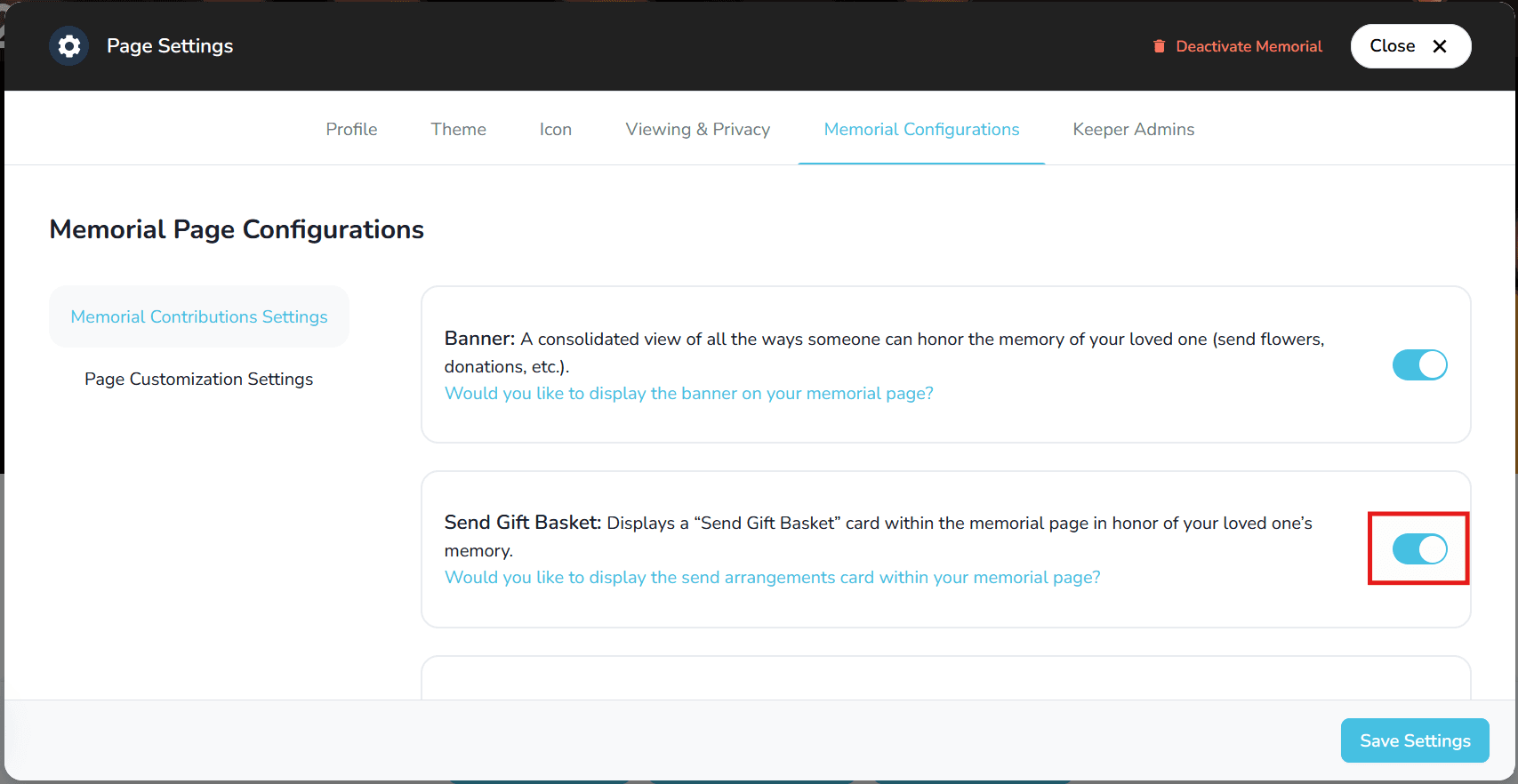
- Save your changes.
Remove the Keeper logo
- While still in Memorial Configurations, open Page Customization Settings.
- Turn on Remove Keeper Logo to hide it (or turn it off to show it again).
- Save your changes to update the memorial.