
Memorial ManagementMemento Administration
How do I approve and review content before it appears on my memorial page?
Turn on memorial content approvals so tributes, media, and comments stay pending until you review them.
- Sign in to Keeper and open the memorial you manage.
- Click Edit Page Settings beneath the banner.

- Switch to the Viewing & Privacy tab.

- Under Would you like to approve all Tributes shared on this memorial page before they appear?, choose Yes, I want to approve all content before it appears on the page.
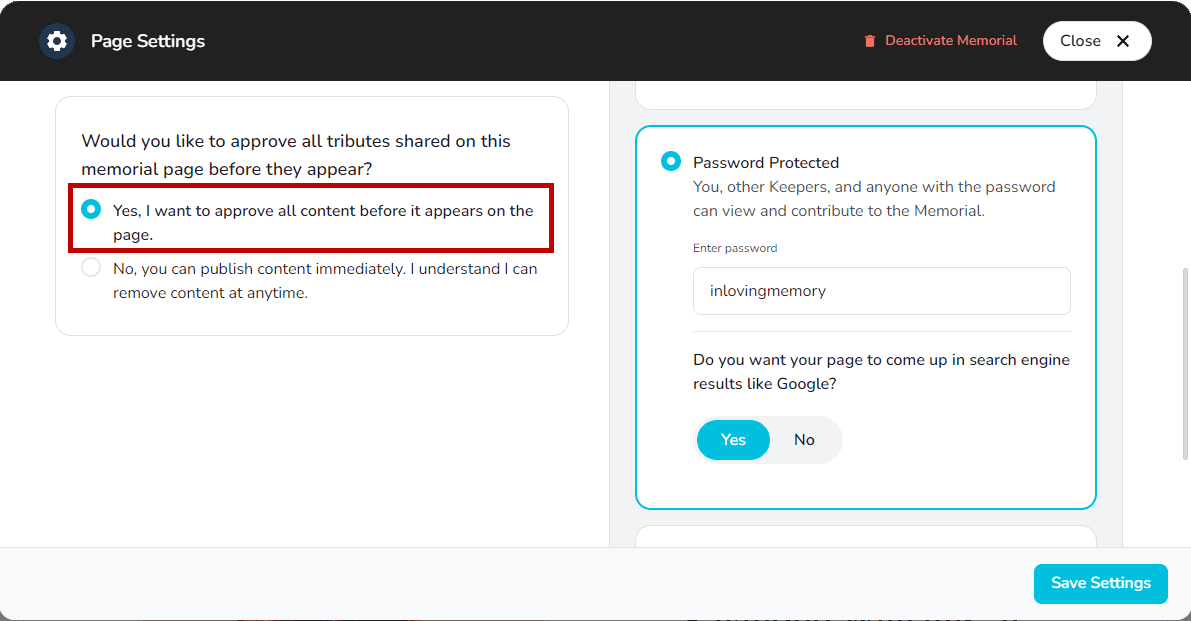
- Select Save Settings to enable approvals.
What happens next
When approvals are on, new tributes, media, and comments land in the Request Center as Content Requests until you approve them.
Accepting a memorial Keeper request
Open the invitation email to join a memorial as a Keeper, create an account if needed, and contact the memorial owner with questions.
How do I change and customize the URL of a memorial page?
Keeper Plus members can edit the memorial URL slug from the Viewing & Privacy tab.