
Memorial ManagementLife, Mementos and Stories
Photo Story | What is a photo story?
Highlight a single photo with supporting details and layout options in the Life & Mementos tab.
A Photo Story puts a single photo and the story behind it in the spotlight. To get started:
- Follow the steps to Edit Life & Mementos
- Select Photo Story from the drop down menu in Life & Mementos
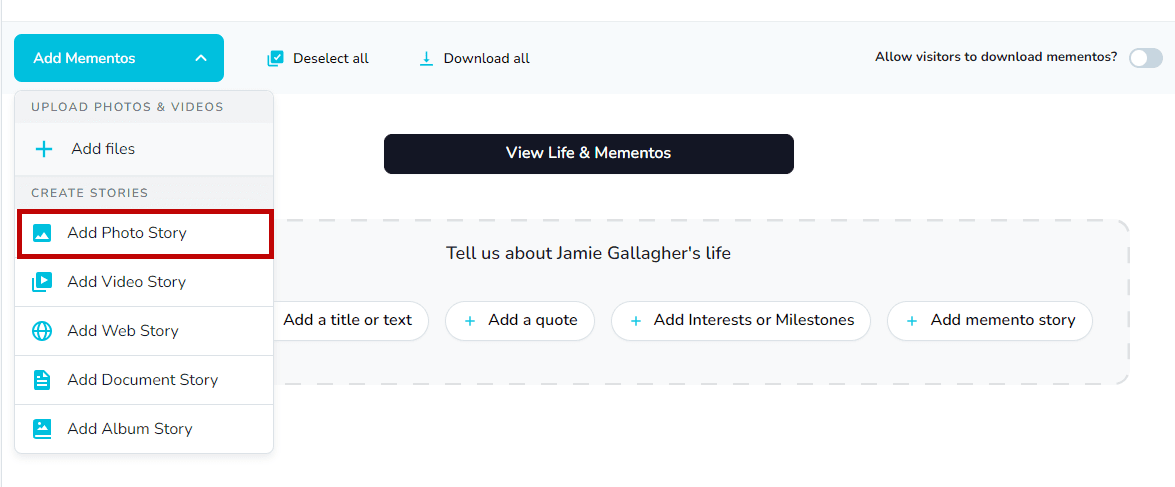
- Upload a file from your device or select from what you've uploaded so far via Choose from Mementos
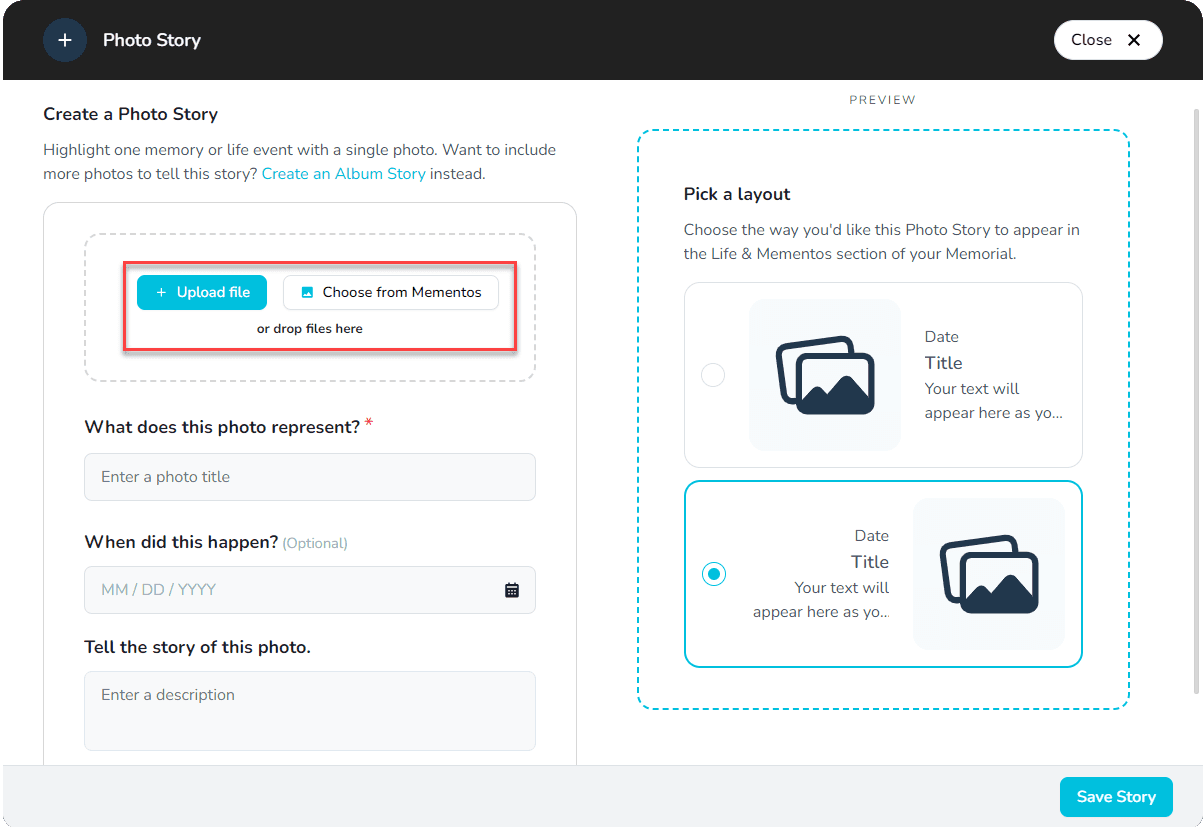
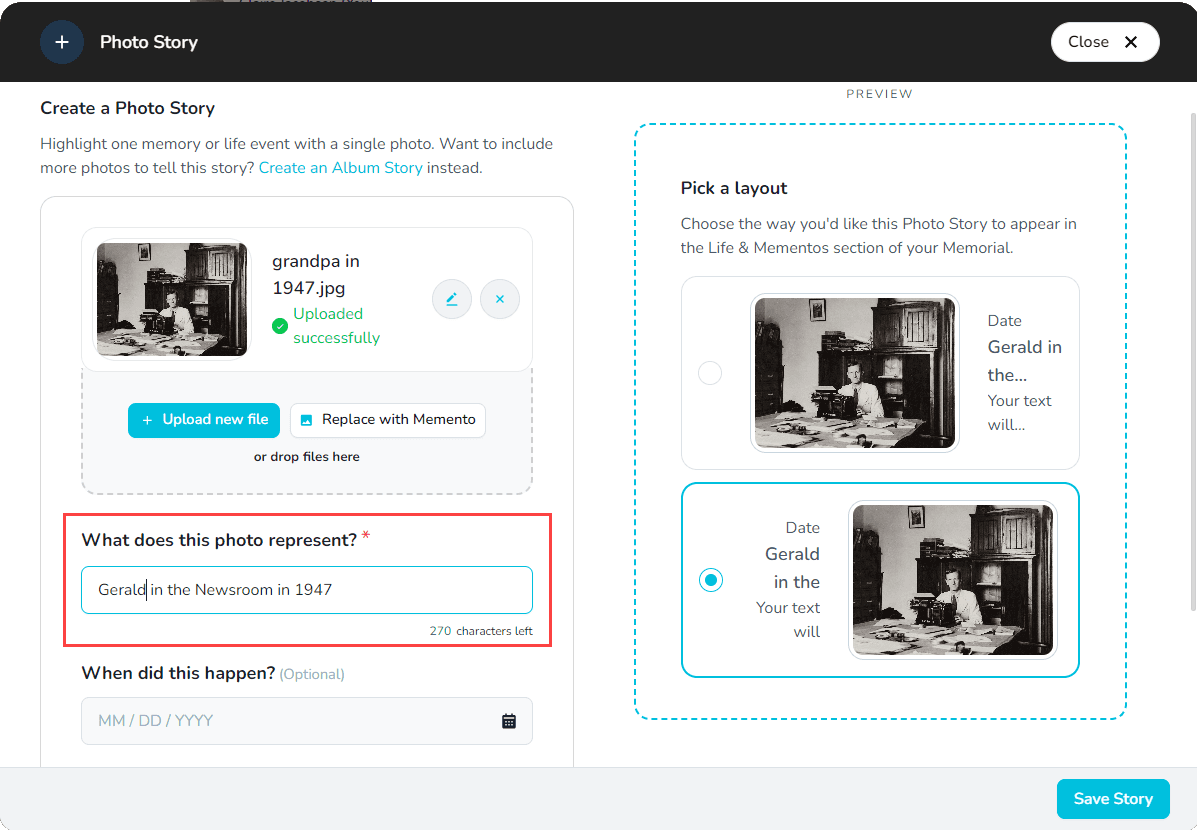
- Enter a title under What does this photo represent
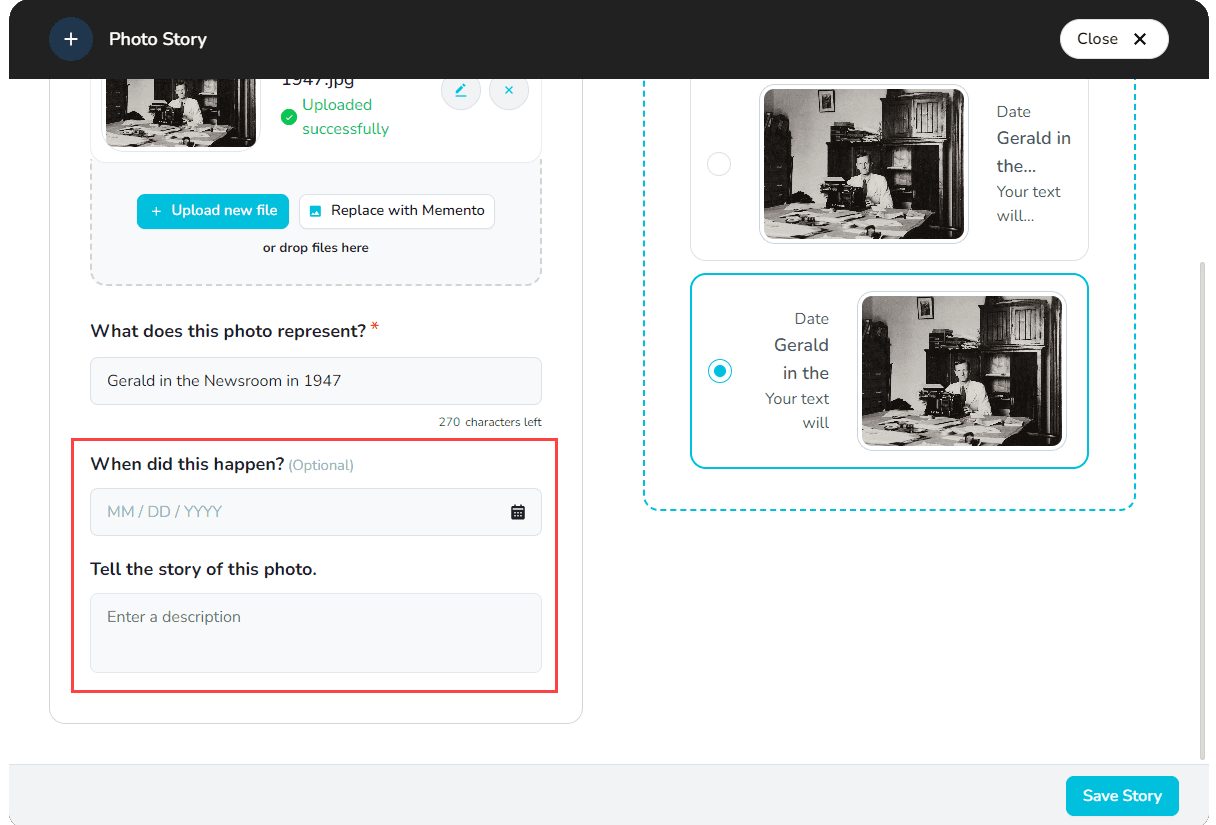
- Add an optional date in the date field
- Add details, information, a story, or anything else you'd like by entering a description
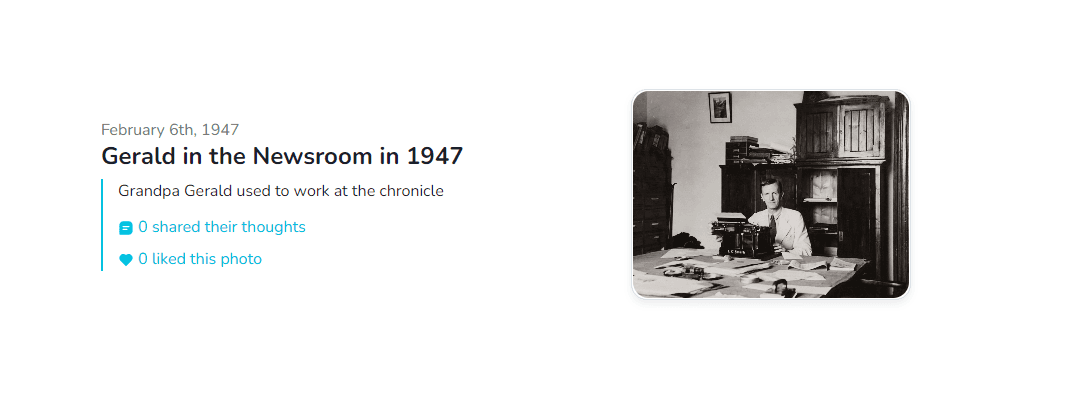
- Choose how you'd like the Photo Story to display
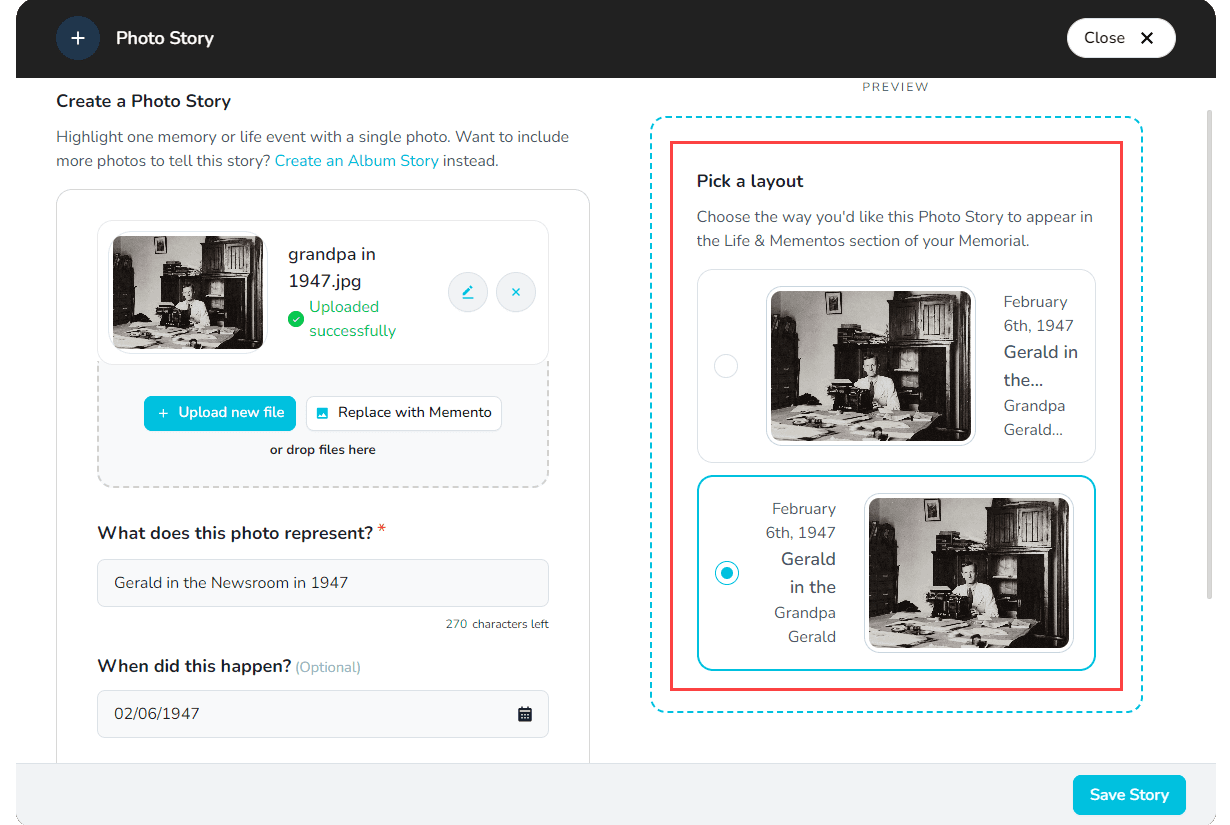
- Once you're happy with your Story, click on Save Story 🖼️
Tip: We accept .png, .jpg, .jpeg, .gif and .heic file formats. An image file needs to be between 5 KB – 25 MB in size.
Related stories