Memorial ManagementFlags
How do I keep or remove flagged items?
Review flagged memorial content and decide whether to keep or remove it.
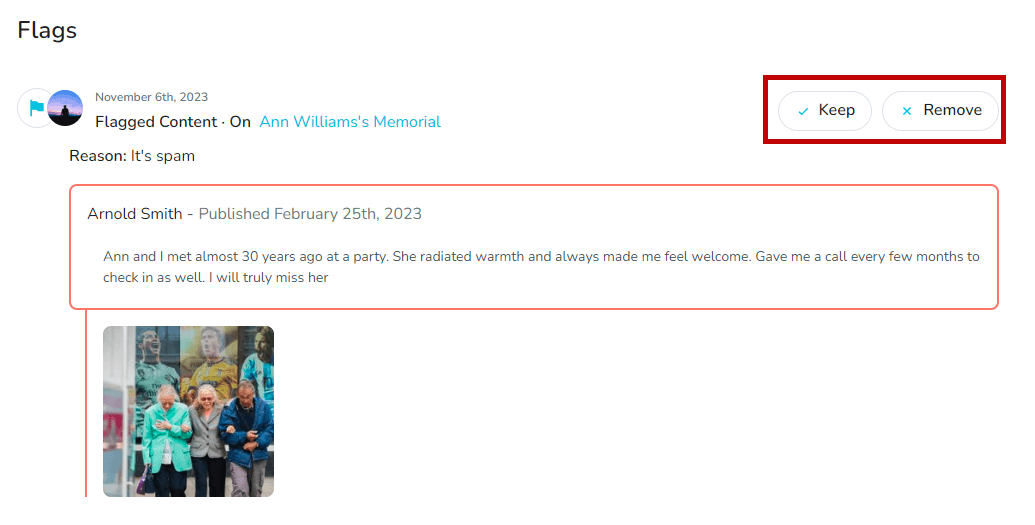
Flags mark images, videos, or tributes that visitors reported on the memorial pages you manage. Review every flagged item through your Dashboard.
Review flagged items
- Log in to your Keeper account.
- Open the Dashboard.
- Select Flags at the top of the page.

- Review each flagged submission and decide how to proceed.
- Choose Keep to retain the content on the memorial page.
- Choose Remove to permanently delete the content.