
Memorial ManagementFlags
How do I report or flag a post that is spam or inappropriate?
Use the flag icon on tributes, comments, photos, or videos to alert keepers about problematic content.
- Find the tribute, comment, image, or video you want to report.
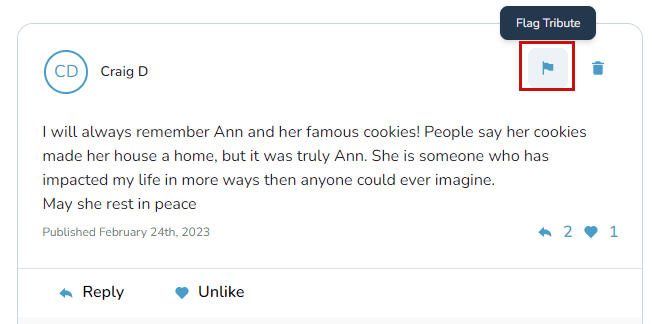
- Select the flag icon:
-
For tributes and comments, the flag appears in the upper-right corner.
-
For photos and videos, open the item first—then select the flag icon in the top-left corner.

-
- Choose a reason (or describe the issue) and submit the report. Keeper Administrators and Keeper Support receive the alert to review the content.
Need to manage flagged items?
Follow the guide on keeping or removing flagged items.